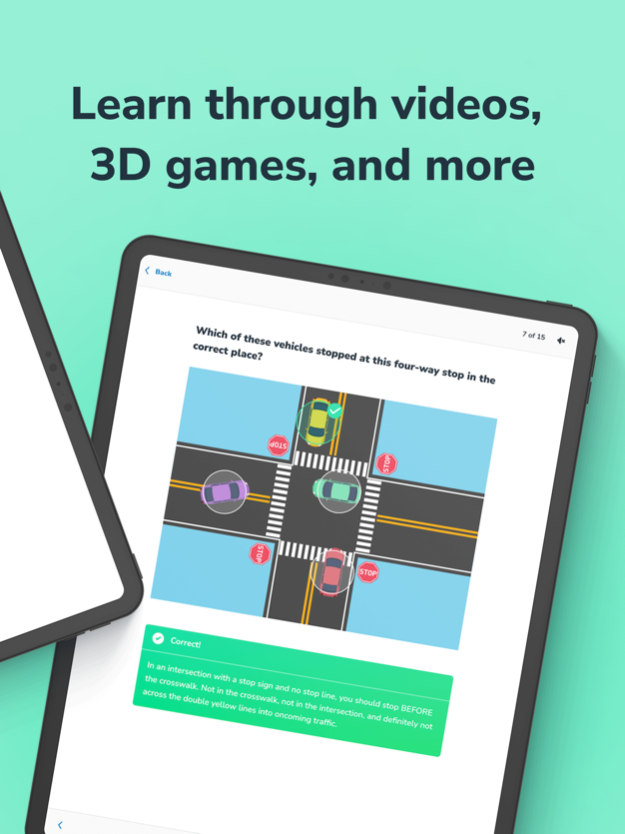
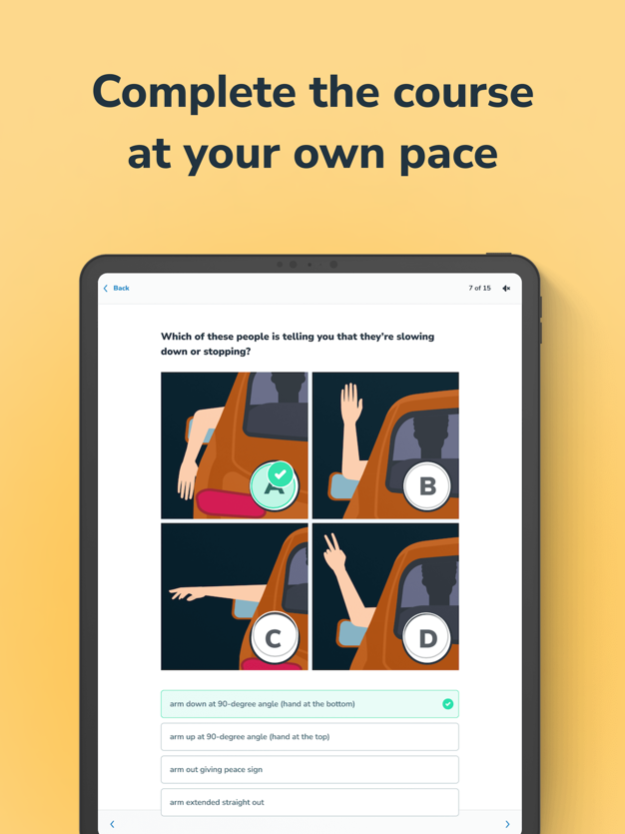
Aceable Drivers Ed & More7.18.0 - App Store

Please wait ... The app listing is being verified for availability.
You'll be able to see results in few seconds.


Publisher Description

Get Your Driver’s License & Ace Your Permit Test - Anytime, Anywhere

Ready to hit the road? Aceable makes it simple, fun, and affordable to get your driver’s license and ace your permit test.

With Aceable, you can take state-approved drivers ed courses and practice for your DMV permit test, driver license test, or DMV written test - all in one app! Our interactive lessons, unlimited DMV practice test questions, and new permit practice courses help you pass with flying colors.

Why Aceable?
Over 1 million students have trusted Aceable to earn their driver’s license and permit. Approved in Texas, Florida, California, Illinois, Ohio, Nevada, Oklahoma, and Pennsylvania, our courses are 100% state-legal and designed to keep you engaged and learning.
Skip boring lectures and start enjoying your drivers ed journey with videos, memes, and interactive lessons that make learning fun and easy.

Features You’ll Love:

FULL COURSE DRIVERS ED
State-approved courses for your permit test and driver’s license.
Meet all the educational requirements - 100% online.
Learn with engaging videos, animations, and memes.

DEFENSIVE DRIVING & TRAFFIC SCHOOL

Access your Aceable defensive driving or traffic school course in the app. Course availability and eligibility vary by state. Check the course details to find the option that meets your needs.
NEW! PERMIT TEST PREP COURSES
Master your DMV written test with focused, step-by-step prep.
Boost your confidence with practice questions designed to help you pass your DMV test.
Aceable guides you every step of the way - no extra fees, no hassle.
UNLIMITED PRACTICE TESTS
Study smarter with unlimited DMV practice test questions and simulated exams.
No additional charges for extra permit practice or driving test content.
ACTUALLY FUN & ENGAGING
Witty writing, relevant memes, and entertaining videos keep you focused.
Say goodbye to boring driver license test prep - our reviews speak for themselves!
LEARN ANYTIME, ANYWHERE
Available on any device - progress syncs automatically.
Learn at your own pace, on your schedule.
PARENTAL TOOLS
Track your teen’s progress with user-friendly tools.
View DMV test results and course milestones for peace of mind.
Why Wait? Start Today!
Download Aceable now and join thousands of students who’ve taken the fast, fun, and affordable path to their driver’s license.

State Course Approvals:
Texas: TDLR Provider #116
California: DMV Provider #E2017
Illinois: Approved Course #3352
Florida: TLSAE Code #NR2
Ohio: Course #1462
Nevada: DMV School License #PRDS00046773
Pennsylvania: Licensed by the Department of Education

Aceable is approved by:
Texas Department of Licensing & Regulation (TDLR)
California DMV
Florida DHSMV
Ohio BMV
Nevada DMV
Pennsylvania Department of Education

DMV Permit Test Made Easy
Aceable goes beyond drivers ed with Permit Test Prep courses to ensure you’re 100% ready for your DMV written test. Whether your DMV is called DOL, DOT, DPS, or BMV, our courses are tailored to fit every state’s requirements - including driver license test and driving test prep.
Download Aceable today and take the first step toward acing your permit test, passing your DMV test, and getting your driver’s license!

Version History We redesigned the screen you see when your free trial ends. Roadside Assistance members get a refreshed membership screen with coverage details, FAQs, and a clearer way to manage or cancel their plan. We also fixed an issue where Practice Questions stayed locked after you left a Mock Exam. 7.18.0 5d ago Your exam readiness now shows as a meter, and tapping it explains what's behind your score. When you sign up or change your email, we now catch more typos, like a misspelled ending or a stray dot. We also fixed an error that could happen when your session ended while you were leaving a course. 7.17.0 Oct 6 Course Selection now lets you filter your courses by type, so the one you want is easier to find. Course cards show whether a course is Pre-License or Continuing Ed, with Continuing Ed courses listed last. Finishing a course now shows a congratulations screen. We also fixed a crash when opening privacy settings and a crash when going back after opening an unrecognized link. 7.16.0 Sep 29 When you finish your course, you'll now see a State Exam Prep card on your dashboard to help you get ready for the real thing. Tapping Continue with Google when you're creating an account now takes you straight to sign-up. We also fixed a problem where sign-in verification could check the wrong course, so verification now lands on the course you registered. 7.15.0 Sep 18 Signing up is faster — you can now continue with your email right at the top of the create-account screen. We also fixed the daily Question of the Day so your answer and its result display correctly. 7.14.0 Sep 9 Fixed a crash that closed the app when saving a course image to your photo library. Clickable-image questions now place tap targets accurately, support rectangular hotspots, and correctly show as answered when you come back to them. We also improved screen-reader support for those questions and made sure the Start button is disabled once you have used all your test attempts. 7.13.0 Sep 3 You can now open the Question of the Day straight from your email and read the full answer and explanation in one place. We fixed a crash that could close the app when you pressed back after arriving from a link, corrected the number of days shown on the last-practiced badge, and made dialog close buttons work properly with screen readers. Practice test study items now show icons so they are easier to scan. 7.12.0 Aug 26 You can now find nationwide courses alongside your state's own when picking a course, so nothing valid for you stays hidden. Practice topics remember how you sorted them, show when you last practiced each one, and make your progress clearer at a glance. The Daily Study Plan card is now full width. 7.11.0 Aug 19 Parents and other non-student accounts can now sign in and reach their student's progress without hitting a purchase prompt they could never complete. Vertical videos now fill the screen instead of sitting in a letterboxed strip, and the lesson text moves into a panel you can pull up whenever you need it. 7.10.0 Aug 11 This update makes getting around your course faster and more reliable.

• Switching between your course types is now instant — the dashboard no longer reloads from scratch.
• Fixed entering Ace Mode sometimes opening the Help Center instead of your course.
• Fixed video playback getting stuck after you exit full screen.
• More accurate grading on fill-in-the-blank questions.
• Back navigation, checkpoint start buttons, and several dashboard cards behave more reliably. 7.9.0 Aug 4 Staying on track is easier now — your Daily Study Plan is simpler to find and open, with clearer prompts guiding your next step. We fixed a problem where the practice screen could appear empty after you finished all your questions, and made the course map scroll more reliably. Your course dashboard also got a fresh coat of visual polish. 7.8.0 Jul 27 We redesigned the course dashboard with expandable journey cards, clearer to-do steps, and a smarter Continue button so it's easier to pick up where you left off. Signing in is more reliable — we fixed issues that could leave you stuck on an empty course list after logging in. You can now open your Daily Study Plan straight from a notification, and we've fixed several crashes and polished video captions, study tests, and your records. 7.7.0 Jul 16 A new daily study plan with focused study sessions helps you make steady progress, and the course player now lets you show or hide captions, shows a friendly "Break time!" note between chapters, and handles fill-in-the-blank questions more smoothly. We also fixed video player crashes for a more reliable experience. 7.6.0 Jul 1 You can now sign in and sign up with Apple, and show or hide captions while watching course videos. We've improved the Daily Study Plan with a focused study session flow and clearer progress, and added break reminders between chapters. We also fixed a video playback crash, stopped audio from continuing after you close the app, and made several screens easier to use with screen readers. 7.5.0 Jun 24 We fixed crashes in the course video player and made fill-in-the-blank questions easier to answer — you can now submit them straight from your keyboard. Trial subscribers can cancel their subscription in the app, profile field instructions are clearer, and promotional links now open directly in the app. 7.4.0 Jun 12 Course audio now keeps playing when you leave the app or lock your screen, so you can keep learning hands-free. We added a daily study plan to help you stay on pace, a My Orders screen to review your purchases, and clearer mock exam prompts as you approach readiness. We also suggest corrections for mistyped emails at sign-up and sign-in, and fixed issues in the glossary, practice tests, and chapter-completion screens. 7.3.0 Jun 8 You can now see a daily study plan right on your dashboard, with a quick recap of what to focus on today, and review your purchase history on the new My Orders screen. Sign-in catches common email typos before you submit, and links from outside the app — including password reset and subscription management — open the right screen more reliably. We also polished checkout, the chapter completion screens, and several smaller details throughout the app. 7.2.0 May 27 Fixed an issue where shipping could become delayed due to invalid address. 4.8 Apr 2 Need to re-enroll in your class? We've made it even easier. 4.6.1 Mar 21 Need to re-enroll in a class? This update will make it easier. 4.6 Mar 21 Lots of UI cleanup for a nice experience 4.5 Mar 2 Fixed some minor issues with the new Test Prep course. 4.4.1 Feb 16 Some UI improvements for the new AceMode feature.
Fixed issue some users were seeing loading the Driving Log. 4.4 Feb 14 Test Prep is coming to a course near you! Check it out to make sure you pass those certification tests. 4.3 Feb 13 Some UI improvements and bug fixes 4.2 Jan 30


About Aceable Drivers Ed & More

Aceable Drivers Ed & More is a free app for iOS published in the Other list of apps, part of Network & Internet.

The company that develops Aceable Drivers Ed & More is Aceable Inc.. The latest version released by its developer is 7.18.0.

To install Aceable Drivers Ed & More on your iOS device, just click the green Continue To App button above to start the installation process. The app is listed on our website since 2026-10-14 and was downloaded 0 times. We have already checked if the download link is safe, however for your own protection we recommend that you scan the downloaded app with your antivirus. Your antivirus may detect the Aceable Drivers Ed & More as malware if the download link is broken.

How to install Aceable Drivers Ed & More on your iOS device:

  • Click on the Continue To App button on our website. This will redirect you to the App Store.
  • Once the Aceable Drivers Ed & More is shown in the iTunes listing of your iOS device, you can start its download and installation. Tap on the GET button to the right of the app to start downloading it.
  • If you are not logged-in the iOS appstore app, you'll be prompted for your your Apple ID and/or password.
  • After Aceable Drivers Ed & More is downloaded, you'll see an INSTALL button to the right. Tap on it to start the actual installation of the iOS app.
  • Once installation is finished you can tap on the OPEN button to start it. Its icon will also be added to your device home screen.

Program Details


General

Publisher
Released Date
2026-10-14
Languages
English

Category

Category
Subcategory

System requirements

Operating systems
iOS

Download information

File size
73 bytes
Total downloads
0

Pricing

License model
Free
Price

Version History


Here you can find the changelog of Aceable Drivers Ed & More since it was posted on our website on 2016-10-18. The latest version is 7.18.0 and it was updated on Apps112 on 17 October, 2026. See below the changes in each version:

version 7.18.0

posted on 2026-10-14

Version History We redesigned the screen you see when your free trial ends. Roadside Assistance members get a refreshed membership screen with coverage details, FAQs, and a clearer way to manage or cancel their plan. We also fixed an issue where Practice Questions stayed locked after you left a Mock Exam. 7.18.0 5d ago Your exam readiness now shows as a meter, and tapping it explains what's behind your score. When you sign up or change your email, we now catch more typos, like a misspelled ending or a stray dot. We also fixed an error that could happen when your session ended while you were leaving a course. 7.17.0 Oct 6 Course Selection now lets you filter your courses by type, so the one you want is easier to find. Course cards show whether a course is Pre-License or Continuing Ed, with Continuing Ed courses listed last. Finishing a course now shows a congratulations screen. We also fixed a crash when opening privacy settings and a crash when going back after opening an unrecognized link. 7.16.0 Sep 29 When you finish your course, you'll now see a State Exam Prep card on your dashboard to help you get ready for the real thing. Tapping Continue with Google when you're creating an account now takes you straight to sign-up. We also fixed a problem where sign-in verification could check the wrong course, so verification now lands on the course you registered. 7.15.0 Sep 18 Signing up is faster — you can now continue with your email right at the top of the create-account screen. We also fixed the daily Question of the Day so your answer and its result display correctly. 7.14.0 Sep 9 Fixed a crash that closed the app when saving a course image to your photo library. Clickable-image questions now place tap targets accurately, support rectangular hotspots, and correctly show as answered when you come back to them. We also improved screen-reader support for those questions and made sure the Start button is disabled once you have used all your test attempts. 7.13.0 Sep 3 You can now open the Question of the Day straight from your email and read the full answer and explanation in one place. We fixed a crash that could close the app when you pressed back after arriving from a link, corrected the number of days shown on the last-practiced badge, and made dialog close buttons work properly with screen readers. Practice test study items now show icons so they are easier to scan. 7.12.0 Aug 26 You can now find nationwide courses alongside your state's own when picking a course, so nothing valid for you stays hidden. Practice topics remember how you sorted them, show when you last practiced each one, and make your progress clearer at a glance. The Daily Study Plan card is now full width. 7.11.0 Aug 19 Parents and other non-student accounts can now sign in and reach their student's progress without hitting a purchase prompt they could never complete. Vertical videos now fill the screen instead of sitting in a letterboxed strip, and the lesson text moves into a panel you can pull up whenever you need it. 7.10.0 Aug 11 This update makes getting around your course faster and more reliable.

• Switching between your course types is now instant — the dashboard no longer reloads from scratch.
• Fixed entering Ace Mode sometimes opening the Help Center instead of your course.
• Fixed video playback getting stuck after you exit full screen.
• More accurate grading on fill-in-the-blank questions.
• Back navigation, checkpoint start buttons, and several dashboard cards behave more reliably. 7.9.0 Aug 4 Staying on track is easier now — your Daily Study Plan is simpler to find and open, with clearer prompts guiding your next step. We fixed a problem where the practice screen could appear empty after you finished all your questions, and made the course map scroll more reliably. Your course dashboard also got a fresh coat of visual polish. 7.8.0 Jul 27 We redesigned the course dashboard with expandable journey cards, clearer to-do steps, and a smarter Continue button so it's easier to pick up where you left off. Signing in is more reliable — we fixed issues that could leave you stuck on an empty course list after logging in. You can now open your Daily Study Plan straight from a notification, and we've fixed several crashes and polished video captions, study tests, and your records. 7.7.0 Jul 16 A new daily study plan with focused study sessions helps you make steady progress, and the course player now lets you show or hide captions, shows a friendly "Break time!" note between chapters, and handles fill-in-the-blank questions more smoothly. We also fixed video player crashes for a more reliable experience. 7.6.0 Jul 1 You can now sign in and sign up with Apple, and show or hide captions while watching course videos. We've improved the Daily Study Plan with a focused study session flow and clearer progress, and added break reminders between chapters. We also fixed a video playback crash, stopped audio from continuing after you close the app, and made several screens easier to use with screen readers. 7.5.0 Jun 24 We fixed crashes in the course video player and made fill-in-the-blank questions easier to answer — you can now submit them straight from your keyboard. Trial subscribers can cancel their subscription in the app, profile field instructions are clearer, and promotional links now open directly in the app. 7.4.0 Jun 12 Course audio now keeps playing when you leave the app or lock your screen, so you can keep learning hands-free. We added a daily study plan to help you stay on pace, a My Orders screen to review your purchases, and clearer mock exam prompts as you approach readiness. We also suggest corrections for mistyped emails at sign-up and sign-in, and fixed issues in the glossary, practice tests, and chapter-completion screens. 7.3.0 Jun 8 You can now see a daily study plan right on your dashboard, with a quick recap of what to focus on today, and review your purchase history on the new My Orders screen. Sign-in catches common email typos before you submit, and links from outside the app — including password reset and subscription management — open the right screen more reliably. We also polished checkout, the chapter completion screens, and several smaller details throughout the app. 7.2.0 May 27 Fixed an issue where shipping could become delayed due to invalid address. 4.8 Apr 2 Need to re-enroll in your class? We've made it even easier. 4.6.1 Mar 21 Need to re-enroll in a class? This update will make it easier. 4.6 Mar 21 Lots of UI cleanup for a nice experience 4.5 Mar 2 Fixed some minor issues with the new Test Prep course. 4.4.1 Feb 16 Some UI improvements for the new AceMode feature.
Fixed issue some users were seeing loading the Driving Log. 4.4 Feb 14 Test Prep is coming to a course near you! Check it out to make sure you pass those certification tests. 4.3 Feb 13 Some UI improvements and bug fixes 4.2 Jan 30

version 7.17.0

posted on 2026-10-06

Version History Your exam readiness now shows as a meter, and tapping it explains what's behind your score. When you sign up or change your email, we now catch more typos, like a misspelled ending or a stray dot. We also fixed an error that could happen when your session ended while you were leaving a course. 7.17.0 18h ago Course Selection now lets you filter your courses by type, so the one you want is easier to find. Course cards show whether a course is Pre-License or Continuing Ed, with Continuing Ed courses listed last. Finishing a course now shows a congratulations screen. We also fixed a crash when opening privacy settings and a crash when going back after opening an unrecognized link. 7.16.0 Sep 29 When you finish your course, you'll now see a State Exam Prep card on your dashboard to help you get ready for the real thing. Tapping Continue with Google when you're creating an account now takes you straight to sign-up. We also fixed a problem where sign-in verification could check the wrong course, so verification now lands on the course you registered. 7.15.0 Sep 18 Signing up is faster — you can now continue with your email right at the top of the create-account screen. We also fixed the daily Question of the Day so your answer and its result display correctly. 7.14.0 Sep 9 Fixed a crash that closed the app when saving a course image to your photo library. Clickable-image questions now place tap targets accurately, support rectangular hotspots, and correctly show as answered when you come back to them. We also improved screen-reader support for those questions and made sure the Start button is disabled once you have used all your test attempts. 7.13.0 Sep 3 You can now open the Question of the Day straight from your email and read the full answer and explanation in one place. We fixed a crash that could close the app when you pressed back after arriving from a link, corrected the number of days shown on the last-practiced badge, and made dialog close buttons work properly with screen readers. Practice test study items now show icons so they are easier to scan. 7.12.0 Aug 26 You can now find nationwide courses alongside your state's own when picking a course, so nothing valid for you stays hidden. Practice topics remember how you sorted them, show when you last practiced each one, and make your progress clearer at a glance. The Daily Study Plan card is now full width. 7.11.0 Aug 19 Parents and other non-student accounts can now sign in and reach their student's progress without hitting a purchase prompt they could never complete. Vertical videos now fill the screen instead of sitting in a letterboxed strip, and the lesson text moves into a panel you can pull up whenever you need it. 7.10.0 Aug 11 This update makes getting around your course faster and more reliable.

• Switching between your course types is now instant — the dashboard no longer reloads from scratch.
• Fixed entering Ace Mode sometimes opening the Help Center instead of your course.
• Fixed video playback getting stuck after you exit full screen.
• More accurate grading on fill-in-the-blank questions.
• Back navigation, checkpoint start buttons, and several dashboard cards behave more reliably. 7.9.0 Aug 4 Staying on track is easier now — your Daily Study Plan is simpler to find and open, with clearer prompts guiding your next step. We fixed a problem where the practice screen could appear empty after you finished all your questions, and made the course map scroll more reliably. Your course dashboard also got a fresh coat of visual polish. 7.8.0 Jul 27 We redesigned the course dashboard with expandable journey cards, clearer to-do steps, and a smarter Continue button so it's easier to pick up where you left off. Signing in is more reliable — we fixed issues that could leave you stuck on an empty course list after logging in. You can now open your Daily Study Plan straight from a notification, and we've fixed several crashes and polished video captions, study tests, and your records. 7.7.0 Jul 16 A new daily study plan with focused study sessions helps you make steady progress, and the course player now lets you show or hide captions, shows a friendly "Break time!" note between chapters, and handles fill-in-the-blank questions more smoothly. We also fixed video player crashes for a more reliable experience. 7.6.0 Jul 1 You can now sign in and sign up with Apple, and show or hide captions while watching course videos. We've improved the Daily Study Plan with a focused study session flow and clearer progress, and added break reminders between chapters. We also fixed a video playback crash, stopped audio from continuing after you close the app, and made several screens easier to use with screen readers. 7.5.0 Jun 24 We fixed crashes in the course video player and made fill-in-the-blank questions easier to answer — you can now submit them straight from your keyboard. Trial subscribers can cancel their subscription in the app, profile field instructions are clearer, and promotional links now open directly in the app. 7.4.0 Jun 12 Course audio now keeps playing when you leave the app or lock your screen, so you can keep learning hands-free. We added a daily study plan to help you stay on pace, a My Orders screen to review your purchases, and clearer mock exam prompts as you approach readiness. We also suggest corrections for mistyped emails at sign-up and sign-in, and fixed issues in the glossary, practice tests, and chapter-completion screens. 7.3.0 Jun 8 You can now see a daily study plan right on your dashboard, with a quick recap of what to focus on today, and review your purchase history on the new My Orders screen. Sign-in catches common email typos before you submit, and links from outside the app — including password reset and subscription management — open the right screen more reliably. We also polished checkout, the chapter completion screens, and several smaller details throughout the app. 7.2.0 May 27 Fixed an issue where shipping could become delayed due to invalid address. 4.8 Apr 2 Need to re-enroll in your class? We've made it even easier. 4.6.1 Mar 21 Need to re-enroll in a class? This update will make it easier. 4.6 Mar 21 Lots of UI cleanup for a nice experience 4.5 Mar 2 Fixed some minor issues with the new Test Prep course. 4.4.1 Feb 16 Some UI improvements for the new AceMode feature.
Fixed issue some users were seeing loading the Driving Log. 4.4 Feb 14 Test Prep is coming to a course near you! Check it out to make sure you pass those certification tests. 4.3 Feb 13 Some UI improvements and bug fixes 4.2 Jan 30 Get ready for a brand new Test Prep experience! COMING SOON 4.1 Jan 27

version 7.16.0

posted on 2026-10-03

Version History Course Selection now lets you filter your courses by type, so the one you want is easier to find. Course cards show whether a course is Pre-License or Continuing Ed, with Continuing Ed courses listed last. Finishing a course now shows a congratulations screen. We also fixed a crash when opening privacy settings and a crash when going back after opening an unrecognized link. 7.16.0 3d ago When you finish your course, you'll now see a State Exam Prep card on your dashboard to help you get ready for the real thing. Tapping Continue with Google when you're creating an account now takes you straight to sign-up. We also fixed a problem where sign-in verification could check the wrong course, so verification now lands on the course you registered. 7.15.0 Sep 18 Signing up is faster — you can now continue with your email right at the top of the create-account screen. We also fixed the daily Question of the Day so your answer and its result display correctly. 7.14.0 Sep 9 Fixed a crash that closed the app when saving a course image to your photo library. Clickable-image questions now place tap targets accurately, support rectangular hotspots, and correctly show as answered when you come back to them. We also improved screen-reader support for those questions and made sure the Start button is disabled once you have used all your test attempts. 7.13.0 Sep 3 You can now open the Question of the Day straight from your email and read the full answer and explanation in one place. We fixed a crash that could close the app when you pressed back after arriving from a link, corrected the number of days shown on the last-practiced badge, and made dialog close buttons work properly with screen readers. Practice test study items now show icons so they are easier to scan. 7.12.0 Aug 26 You can now find nationwide courses alongside your state's own when picking a course, so nothing valid for you stays hidden. Practice topics remember how you sorted them, show when you last practiced each one, and make your progress clearer at a glance. The Daily Study Plan card is now full width. 7.11.0 Aug 19 Parents and other non-student accounts can now sign in and reach their student's progress without hitting a purchase prompt they could never complete. Vertical videos now fill the screen instead of sitting in a letterboxed strip, and the lesson text moves into a panel you can pull up whenever you need it. 7.10.0 Aug 11 This update makes getting around your course faster and more reliable.

• Switching between your course types is now instant — the dashboard no longer reloads from scratch.
• Fixed entering Ace Mode sometimes opening the Help Center instead of your course.
• Fixed video playback getting stuck after you exit full screen.
• More accurate grading on fill-in-the-blank questions.
• Back navigation, checkpoint start buttons, and several dashboard cards behave more reliably. 7.9.0 Aug 4 Staying on track is easier now — your Daily Study Plan is simpler to find and open, with clearer prompts guiding your next step. We fixed a problem where the practice screen could appear empty after you finished all your questions, and made the course map scroll more reliably. Your course dashboard also got a fresh coat of visual polish. 7.8.0 Jul 27 We redesigned the course dashboard with expandable journey cards, clearer to-do steps, and a smarter Continue button so it's easier to pick up where you left off. Signing in is more reliable — we fixed issues that could leave you stuck on an empty course list after logging in. You can now open your Daily Study Plan straight from a notification, and we've fixed several crashes and polished video captions, study tests, and your records. 7.7.0 Jul 16 A new daily study plan with focused study sessions helps you make steady progress, and the course player now lets you show or hide captions, shows a friendly "Break time!" note between chapters, and handles fill-in-the-blank questions more smoothly. We also fixed video player crashes for a more reliable experience. 7.6.0 Jul 1 You can now sign in and sign up with Apple, and show or hide captions while watching course videos. We've improved the Daily Study Plan with a focused study session flow and clearer progress, and added break reminders between chapters. We also fixed a video playback crash, stopped audio from continuing after you close the app, and made several screens easier to use with screen readers. 7.5.0 Jun 24 We fixed crashes in the course video player and made fill-in-the-blank questions easier to answer — you can now submit them straight from your keyboard. Trial subscribers can cancel their subscription in the app, profile field instructions are clearer, and promotional links now open directly in the app. 7.4.0 Jun 12 Course audio now keeps playing when you leave the app or lock your screen, so you can keep learning hands-free. We added a daily study plan to help you stay on pace, a My Orders screen to review your purchases, and clearer mock exam prompts as you approach readiness. We also suggest corrections for mistyped emails at sign-up and sign-in, and fixed issues in the glossary, practice tests, and chapter-completion screens. 7.3.0 Jun 8 You can now see a daily study plan right on your dashboard, with a quick recap of what to focus on today, and review your purchase history on the new My Orders screen. Sign-in catches common email typos before you submit, and links from outside the app — including password reset and subscription management — open the right screen more reliably. We also polished checkout, the chapter completion screens, and several smaller details throughout the app. 7.2.0 May 27 Fixed an issue where shipping could become delayed due to invalid address. 4.8 Apr 2 Need to re-enroll in your class? We've made it even easier. 4.6.1 Mar 21 Need to re-enroll in a class? This update will make it easier. 4.6 Mar 21 Lots of UI cleanup for a nice experience 4.5 Mar 2 Fixed some minor issues with the new Test Prep course. 4.4.1 Feb 16 Some UI improvements for the new AceMode feature.
Fixed issue some users were seeing loading the Driving Log. 4.4 Feb 14 Test Prep is coming to a course near you! Check it out to make sure you pass those certification tests. 4.3 Feb 13 Some UI improvements and bug fixes 4.2 Jan 30 Get ready for a brand new Test Prep experience! COMING SOON 4.1 Jan 27 UI improvements and bug fixes. 4.0 Jan 13

version 7.15.0

posted on 2026-09-26

Version History When you finish your course, you'll now see a State Exam Prep card on your dashboard to help you get ready for the real thing. Tapping Continue with Google when you're creating an account now takes you straight to sign-up. We also fixed a problem where sign-in verification could check the wrong course, so verification now lands on the course you registered. 7.15.0 Sep 18 Signing up is faster — you can now continue with your email right at the top of the create-account screen. We also fixed the daily Question of the Day so your answer and its result display correctly. 7.14.0 Sep 9 Fixed a crash that closed the app when saving a course image to your photo library. Clickable-image questions now place tap targets accurately, support rectangular hotspots, and correctly show as answered when you come back to them. We also improved screen-reader support for those questions and made sure the Start button is disabled once you have used all your test attempts. 7.13.0 Sep 3 You can now open the Question of the Day straight from your email and read the full answer and explanation in one place. We fixed a crash that could close the app when you pressed back after arriving from a link, corrected the number of days shown on the last-practiced badge, and made dialog close buttons work properly with screen readers. Practice test study items now show icons so they are easier to scan. 7.12.0 Aug 26 You can now find nationwide courses alongside your state's own when picking a course, so nothing valid for you stays hidden. Practice topics remember how you sorted them, show when you last practiced each one, and make your progress clearer at a glance. The Daily Study Plan card is now full width. 7.11.0 Aug 19 Parents and other non-student accounts can now sign in and reach their student's progress without hitting a purchase prompt they could never complete. Vertical videos now fill the screen instead of sitting in a letterboxed strip, and the lesson text moves into a panel you can pull up whenever you need it. 7.10.0 Aug 11 This update makes getting around your course faster and more reliable.

• Switching between your course types is now instant — the dashboard no longer reloads from scratch.
• Fixed entering Ace Mode sometimes opening the Help Center instead of your course.
• Fixed video playback getting stuck after you exit full screen.
• More accurate grading on fill-in-the-blank questions.
• Back navigation, checkpoint start buttons, and several dashboard cards behave more reliably. 7.9.0 Aug 4 Staying on track is easier now — your Daily Study Plan is simpler to find and open, with clearer prompts guiding your next step. We fixed a problem where the practice screen could appear empty after you finished all your questions, and made the course map scroll more reliably. Your course dashboard also got a fresh coat of visual polish. 7.8.0 Jul 27 We redesigned the course dashboard with expandable journey cards, clearer to-do steps, and a smarter Continue button so it's easier to pick up where you left off. Signing in is more reliable — we fixed issues that could leave you stuck on an empty course list after logging in. You can now open your Daily Study Plan straight from a notification, and we've fixed several crashes and polished video captions, study tests, and your records. 7.7.0 Jul 16 A new daily study plan with focused study sessions helps you make steady progress, and the course player now lets you show or hide captions, shows a friendly "Break time!" note between chapters, and handles fill-in-the-blank questions more smoothly. We also fixed video player crashes for a more reliable experience. 7.6.0 Jul 1 You can now sign in and sign up with Apple, and show or hide captions while watching course videos. We've improved the Daily Study Plan with a focused study session flow and clearer progress, and added break reminders between chapters. We also fixed a video playback crash, stopped audio from continuing after you close the app, and made several screens easier to use with screen readers. 7.5.0 Jun 24 We fixed crashes in the course video player and made fill-in-the-blank questions easier to answer — you can now submit them straight from your keyboard. Trial subscribers can cancel their subscription in the app, profile field instructions are clearer, and promotional links now open directly in the app. 7.4.0 Jun 12 Course audio now keeps playing when you leave the app or lock your screen, so you can keep learning hands-free. We added a daily study plan to help you stay on pace, a My Orders screen to review your purchases, and clearer mock exam prompts as you approach readiness. We also suggest corrections for mistyped emails at sign-up and sign-in, and fixed issues in the glossary, practice tests, and chapter-completion screens. 7.3.0 Jun 8 You can now see a daily study plan right on your dashboard, with a quick recap of what to focus on today, and review your purchase history on the new My Orders screen. Sign-in catches common email typos before you submit, and links from outside the app — including password reset and subscription management — open the right screen more reliably. We also polished checkout, the chapter completion screens, and several smaller details throughout the app. 7.2.0 May 27 Fixed an issue where shipping could become delayed due to invalid address. 4.8 Apr 2 Need to re-enroll in your class? We've made it even easier. 4.6.1 Mar 21 Need to re-enroll in a class? This update will make it easier. 4.6 Mar 21 Lots of UI cleanup for a nice experience 4.5 Mar 2 Fixed some minor issues with the new Test Prep course. 4.4.1 Feb 16 Some UI improvements for the new AceMode feature.
Fixed issue some users were seeing loading the Driving Log. 4.4 Feb 14 Test Prep is coming to a course near you! Check it out to make sure you pass those certification tests. 4.3 Feb 13 Some UI improvements and bug fixes 4.2 Jan 30 Get ready for a brand new Test Prep experience! COMING SOON 4.1 Jan 27 UI improvements and bug fixes. 4.0 Jan 13 Fixed a bug that was blocking selection of shipping options. 3.62.1 Jan 6

version 7.15.0

posted on 2026-09-19

Version History When you finish your course, you'll now see a State Exam Prep card on your dashboard to help you get ready for the real thing. Tapping Continue with Google when you're creating an account now takes you straight to sign-up. We also fixed a problem where sign-in verification could check the wrong course, so verification now lands on the course you registered. 7.15.0 13h ago Signing up is faster — you can now continue with your email right at the top of the create-account screen. We also fixed the daily Question of the Day so your answer and its result display correctly. 7.14.0 Sep 9 Fixed a crash that closed the app when saving a course image to your photo library. Clickable-image questions now place tap targets accurately, support rectangular hotspots, and correctly show as answered when you come back to them. We also improved screen-reader support for those questions and made sure the Start button is disabled once you have used all your test attempts. 7.13.0 Sep 3 You can now open the Question of the Day straight from your email and read the full answer and explanation in one place. We fixed a crash that could close the app when you pressed back after arriving from a link, corrected the number of days shown on the last-practiced badge, and made dialog close buttons work properly with screen readers. Practice test study items now show icons so they are easier to scan. 7.12.0 Aug 26 You can now find nationwide courses alongside your state's own when picking a course, so nothing valid for you stays hidden. Practice topics remember how you sorted them, show when you last practiced each one, and make your progress clearer at a glance. The Daily Study Plan card is now full width. 7.11.0 Aug 19 Parents and other non-student accounts can now sign in and reach their student's progress without hitting a purchase prompt they could never complete. Vertical videos now fill the screen instead of sitting in a letterboxed strip, and the lesson text moves into a panel you can pull up whenever you need it. 7.10.0 Aug 11 This update makes getting around your course faster and more reliable.

• Switching between your course types is now instant — the dashboard no longer reloads from scratch.
• Fixed entering Ace Mode sometimes opening the Help Center instead of your course.
• Fixed video playback getting stuck after you exit full screen.
• More accurate grading on fill-in-the-blank questions.
• Back navigation, checkpoint start buttons, and several dashboard cards behave more reliably. 7.9.0 Aug 4 Staying on track is easier now — your Daily Study Plan is simpler to find and open, with clearer prompts guiding your next step. We fixed a problem where the practice screen could appear empty after you finished all your questions, and made the course map scroll more reliably. Your course dashboard also got a fresh coat of visual polish. 7.8.0 Jul 27 We redesigned the course dashboard with expandable journey cards, clearer to-do steps, and a smarter Continue button so it's easier to pick up where you left off. Signing in is more reliable — we fixed issues that could leave you stuck on an empty course list after logging in. You can now open your Daily Study Plan straight from a notification, and we've fixed several crashes and polished video captions, study tests, and your records. 7.7.0 Jul 16 A new daily study plan with focused study sessions helps you make steady progress, and the course player now lets you show or hide captions, shows a friendly "Break time!" note between chapters, and handles fill-in-the-blank questions more smoothly. We also fixed video player crashes for a more reliable experience. 7.6.0 Jul 1 You can now sign in and sign up with Apple, and show or hide captions while watching course videos. We've improved the Daily Study Plan with a focused study session flow and clearer progress, and added break reminders between chapters. We also fixed a video playback crash, stopped audio from continuing after you close the app, and made several screens easier to use with screen readers. 7.5.0 Jun 24 We fixed crashes in the course video player and made fill-in-the-blank questions easier to answer — you can now submit them straight from your keyboard. Trial subscribers can cancel their subscription in the app, profile field instructions are clearer, and promotional links now open directly in the app. 7.4.0 Jun 12 Course audio now keeps playing when you leave the app or lock your screen, so you can keep learning hands-free. We added a daily study plan to help you stay on pace, a My Orders screen to review your purchases, and clearer mock exam prompts as you approach readiness. We also suggest corrections for mistyped emails at sign-up and sign-in, and fixed issues in the glossary, practice tests, and chapter-completion screens. 7.3.0 Jun 8 You can now see a daily study plan right on your dashboard, with a quick recap of what to focus on today, and review your purchase history on the new My Orders screen. Sign-in catches common email typos before you submit, and links from outside the app — including password reset and subscription management — open the right screen more reliably. We also polished checkout, the chapter completion screens, and several smaller details throughout the app. 7.2.0 May 27 Fixed an issue where shipping could become delayed due to invalid address. 4.8 Apr 2 Need to re-enroll in your class? We've made it even easier. 4.6.1 Mar 21 Need to re-enroll in a class? This update will make it easier. 4.6 Mar 21 Lots of UI cleanup for a nice experience 4.5 Mar 2 Fixed some minor issues with the new Test Prep course. 4.4.1 Feb 16 Some UI improvements for the new AceMode feature.
Fixed issue some users were seeing loading the Driving Log. 4.4 Feb 14 Test Prep is coming to a course near you! Check it out to make sure you pass those certification tests. 4.3 Feb 13 Some UI improvements and bug fixes 4.2 Jan 30 Get ready for a brand new Test Prep experience! COMING SOON 4.1 Jan 27 UI improvements and bug fixes. 4.0 Jan 13 Fixed a bug that was blocking selection of shipping options. 3.62.1 Jan 6

version 7.14.0

posted on 2026-09-12

Version History Signing up is faster — you can now continue with your email right at the top of the create-account screen. We also fixed the daily Question of the Day so your answer and its result display correctly. 7.14.0 2d ago Fixed a crash that closed the app when saving a course image to your photo library. Clickable-image questions now place tap targets accurately, support rectangular hotspots, and correctly show as answered when you come back to them. We also improved screen-reader support for those questions and made sure the Start button is disabled once you have used all your test attempts. 7.13.0 Sep 3 You can now open the Question of the Day straight from your email and read the full answer and explanation in one place. We fixed a crash that could close the app when you pressed back after arriving from a link, corrected the number of days shown on the last-practiced badge, and made dialog close buttons work properly with screen readers. Practice test study items now show icons so they are easier to scan. 7.12.0 Aug 26 You can now find nationwide courses alongside your state's own when picking a course, so nothing valid for you stays hidden. Practice topics remember how you sorted them, show when you last practiced each one, and make your progress clearer at a glance. The Daily Study Plan card is now full width. 7.11.0 Aug 19 Parents and other non-student accounts can now sign in and reach their student's progress without hitting a purchase prompt they could never complete. Vertical videos now fill the screen instead of sitting in a letterboxed strip, and the lesson text moves into a panel you can pull up whenever you need it. 7.10.0 Aug 11 This update makes getting around your course faster and more reliable.

• Switching between your course types is now instant — the dashboard no longer reloads from scratch.
• Fixed entering Ace Mode sometimes opening the Help Center instead of your course.
• Fixed video playback getting stuck after you exit full screen.
• More accurate grading on fill-in-the-blank questions.
• Back navigation, checkpoint start buttons, and several dashboard cards behave more reliably. 7.9.0 Aug 4 Staying on track is easier now — your Daily Study Plan is simpler to find and open, with clearer prompts guiding your next step. We fixed a problem where the practice screen could appear empty after you finished all your questions, and made the course map scroll more reliably. Your course dashboard also got a fresh coat of visual polish. 7.8.0 Jul 27 We redesigned the course dashboard with expandable journey cards, clearer to-do steps, and a smarter Continue button so it's easier to pick up where you left off. Signing in is more reliable — we fixed issues that could leave you stuck on an empty course list after logging in. You can now open your Daily Study Plan straight from a notification, and we've fixed several crashes and polished video captions, study tests, and your records. 7.7.0 Jul 16 A new daily study plan with focused study sessions helps you make steady progress, and the course player now lets you show or hide captions, shows a friendly "Break time!" note between chapters, and handles fill-in-the-blank questions more smoothly. We also fixed video player crashes for a more reliable experience. 7.6.0 Jul 1 You can now sign in and sign up with Apple, and show or hide captions while watching course videos. We've improved the Daily Study Plan with a focused study session flow and clearer progress, and added break reminders between chapters. We also fixed a video playback crash, stopped audio from continuing after you close the app, and made several screens easier to use with screen readers. 7.5.0 Jun 24 We fixed crashes in the course video player and made fill-in-the-blank questions easier to answer — you can now submit them straight from your keyboard. Trial subscribers can cancel their subscription in the app, profile field instructions are clearer, and promotional links now open directly in the app. 7.4.0 Jun 12 Course audio now keeps playing when you leave the app or lock your screen, so you can keep learning hands-free. We added a daily study plan to help you stay on pace, a My Orders screen to review your purchases, and clearer mock exam prompts as you approach readiness. We also suggest corrections for mistyped emails at sign-up and sign-in, and fixed issues in the glossary, practice tests, and chapter-completion screens. 7.3.0 Jun 8 You can now see a daily study plan right on your dashboard, with a quick recap of what to focus on today, and review your purchase history on the new My Orders screen. Sign-in catches common email typos before you submit, and links from outside the app — including password reset and subscription management — open the right screen more reliably. We also polished checkout, the chapter completion screens, and several smaller details throughout the app. 7.2.0 May 27 Fixed an issue where shipping could become delayed due to invalid address. 4.8 Apr 2 Need to re-enroll in your class? We've made it even easier. 4.6.1 Mar 21 Need to re-enroll in a class? This update will make it easier. 4.6 Mar 21 Lots of UI cleanup for a nice experience 4.5 Mar 2 Fixed some minor issues with the new Test Prep course. 4.4.1 Feb 16 Some UI improvements for the new AceMode feature.
Fixed issue some users were seeing loading the Driving Log. 4.4 Feb 14 Test Prep is coming to a course near you! Check it out to make sure you pass those certification tests. 4.3 Feb 13 Some UI improvements and bug fixes 4.2 Jan 30 Get ready for a brand new Test Prep experience! COMING SOON 4.1 Jan 27 UI improvements and bug fixes. 4.0 Jan 13 Fixed a bug that was blocking selection of shipping options. 3.62.1 Jan 6 Fixed an issue where some image based pop up questions were being counted incorrect when they were correct.
Added some fun easter eggs (can you find them?) 3.62 Jan 5

version 7.13.0

posted on 2026-09-05

Version History Fixed a crash that closed the app when saving a course image to your photo library. Clickable-image questions now place tap targets accurately, support rectangular hotspots, and correctly show as answered when you come back to them. We also improved screen-reader support for those questions and made sure the Start button is disabled once you have used all your test attempts. 7.13.0 1d ago You can now open the Question of the Day straight from your email and read the full answer and explanation in one place. We fixed a crash that could close the app when you pressed back after arriving from a link, corrected the number of days shown on the last-practiced badge, and made dialog close buttons work properly with screen readers. Practice test study items now show icons so they are easier to scan. 7.12.0 Aug 26 You can now find nationwide courses alongside your state's own when picking a course, so nothing valid for you stays hidden. Practice topics remember how you sorted them, show when you last practiced each one, and make your progress clearer at a glance. The Daily Study Plan card is now full width. 7.11.0 Aug 19 Parents and other non-student accounts can now sign in and reach their student's progress without hitting a purchase prompt they could never complete. Vertical videos now fill the screen instead of sitting in a letterboxed strip, and the lesson text moves into a panel you can pull up whenever you need it. 7.10.0 Aug 11 This update makes getting around your course faster and more reliable.

• Switching between your course types is now instant — the dashboard no longer reloads from scratch.
• Fixed entering Ace Mode sometimes opening the Help Center instead of your course.
• Fixed video playback getting stuck after you exit full screen.
• More accurate grading on fill-in-the-blank questions.
• Back navigation, checkpoint start buttons, and several dashboard cards behave more reliably. 7.9.0 Aug 4 Staying on track is easier now — your Daily Study Plan is simpler to find and open, with clearer prompts guiding your next step. We fixed a problem where the practice screen could appear empty after you finished all your questions, and made the course map scroll more reliably. Your course dashboard also got a fresh coat of visual polish. 7.8.0 Jul 27 We redesigned the course dashboard with expandable journey cards, clearer to-do steps, and a smarter Continue button so it's easier to pick up where you left off. Signing in is more reliable — we fixed issues that could leave you stuck on an empty course list after logging in. You can now open your Daily Study Plan straight from a notification, and we've fixed several crashes and polished video captions, study tests, and your records. 7.7.0 Jul 16 A new daily study plan with focused study sessions helps you make steady progress, and the course player now lets you show or hide captions, shows a friendly "Break time!" note between chapters, and handles fill-in-the-blank questions more smoothly. We also fixed video player crashes for a more reliable experience. 7.6.0 Jul 1 You can now sign in and sign up with Apple, and show or hide captions while watching course videos. We've improved the Daily Study Plan with a focused study session flow and clearer progress, and added break reminders between chapters. We also fixed a video playback crash, stopped audio from continuing after you close the app, and made several screens easier to use with screen readers. 7.5.0 Jun 24 We fixed crashes in the course video player and made fill-in-the-blank questions easier to answer — you can now submit them straight from your keyboard. Trial subscribers can cancel their subscription in the app, profile field instructions are clearer, and promotional links now open directly in the app. 7.4.0 Jun 12 Course audio now keeps playing when you leave the app or lock your screen, so you can keep learning hands-free. We added a daily study plan to help you stay on pace, a My Orders screen to review your purchases, and clearer mock exam prompts as you approach readiness. We also suggest corrections for mistyped emails at sign-up and sign-in, and fixed issues in the glossary, practice tests, and chapter-completion screens. 7.3.0 Jun 8 You can now see a daily study plan right on your dashboard, with a quick recap of what to focus on today, and review your purchase history on the new My Orders screen. Sign-in catches common email typos before you submit, and links from outside the app — including password reset and subscription management — open the right screen more reliably. We also polished checkout, the chapter completion screens, and several smaller details throughout the app. 7.2.0 May 27 Fixed an issue where shipping could become delayed due to invalid address. 4.8 Apr 2 Need to re-enroll in your class? We've made it even easier. 4.6.1 Mar 21 Need to re-enroll in a class? This update will make it easier. 4.6 Mar 21 Lots of UI cleanup for a nice experience 4.5 Mar 2 Fixed some minor issues with the new Test Prep course. 4.4.1 Feb 16 Some UI improvements for the new AceMode feature.
Fixed issue some users were seeing loading the Driving Log. 4.4 Feb 14 Test Prep is coming to a course near you! Check it out to make sure you pass those certification tests. 4.3 Feb 13 Some UI improvements and bug fixes 4.2 Jan 30 Get ready for a brand new Test Prep experience! COMING SOON 4.1 Jan 27 UI improvements and bug fixes. 4.0 Jan 13 Fixed a bug that was blocking selection of shipping options. 3.62.1 Jan 6 Fixed an issue where some image based pop up questions were being counted incorrect when they were correct.
Added some fun easter eggs (can you find them?) 3.62 Jan 5 End of year bug fixing and some fun animations added 3.61 12/15/2025

version 7.12.0

posted on 2026-08-27

Version History You can now open the Question of the Day straight from your email and read the full answer and explanation in one place. We fixed a crash that could close the app when you pressed back after arriving from a link, corrected the number of days shown on the last-practiced badge, and made dialog close buttons work properly with screen readers. Practice test study items now show icons so they are easier to scan. 7.12.0 1d ago You can now find nationwide courses alongside your state's own when picking a course, so nothing valid for you stays hidden. Practice topics remember how you sorted them, show when you last practiced each one, and make your progress clearer at a glance. The Daily Study Plan card is now full width. 7.11.0 Aug 19 Parents and other non-student accounts can now sign in and reach their student's progress without hitting a purchase prompt they could never complete. Vertical videos now fill the screen instead of sitting in a letterboxed strip, and the lesson text moves into a panel you can pull up whenever you need it. 7.10.0 Aug 11 This update makes getting around your course faster and more reliable.

• Switching between your course types is now instant — the dashboard no longer reloads from scratch.
• Fixed entering Ace Mode sometimes opening the Help Center instead of your course.
• Fixed video playback getting stuck after you exit full screen.
• More accurate grading on fill-in-the-blank questions.
• Back navigation, checkpoint start buttons, and several dashboard cards behave more reliably. 7.9.0 Aug 4 Staying on track is easier now — your Daily Study Plan is simpler to find and open, with clearer prompts guiding your next step. We fixed a problem where the practice screen could appear empty after you finished all your questions, and made the course map scroll more reliably. Your course dashboard also got a fresh coat of visual polish. 7.8.0 Jul 27 We redesigned the course dashboard with expandable journey cards, clearer to-do steps, and a smarter Continue button so it's easier to pick up where you left off. Signing in is more reliable — we fixed issues that could leave you stuck on an empty course list after logging in. You can now open your Daily Study Plan straight from a notification, and we've fixed several crashes and polished video captions, study tests, and your records. 7.7.0 Jul 16 A new daily study plan with focused study sessions helps you make steady progress, and the course player now lets you show or hide captions, shows a friendly "Break time!" note between chapters, and handles fill-in-the-blank questions more smoothly. We also fixed video player crashes for a more reliable experience. 7.6.0 Jul 1 You can now sign in and sign up with Apple, and show or hide captions while watching course videos. We've improved the Daily Study Plan with a focused study session flow and clearer progress, and added break reminders between chapters. We also fixed a video playback crash, stopped audio from continuing after you close the app, and made several screens easier to use with screen readers. 7.5.0 Jun 24 We fixed crashes in the course video player and made fill-in-the-blank questions easier to answer — you can now submit them straight from your keyboard. Trial subscribers can cancel their subscription in the app, profile field instructions are clearer, and promotional links now open directly in the app. 7.4.0 Jun 12 Course audio now keeps playing when you leave the app or lock your screen, so you can keep learning hands-free. We added a daily study plan to help you stay on pace, a My Orders screen to review your purchases, and clearer mock exam prompts as you approach readiness. We also suggest corrections for mistyped emails at sign-up and sign-in, and fixed issues in the glossary, practice tests, and chapter-completion screens. 7.3.0 Jun 8 You can now see a daily study plan right on your dashboard, with a quick recap of what to focus on today, and review your purchase history on the new My Orders screen. Sign-in catches common email typos before you submit, and links from outside the app — including password reset and subscription management — open the right screen more reliably. We also polished checkout, the chapter completion screens, and several smaller details throughout the app. 7.2.0 May 27 Fixed an issue where shipping could become delayed due to invalid address. 4.8 Apr 2 Need to re-enroll in your class? We've made it even easier. 4.6.1 Mar 21 Need to re-enroll in a class? This update will make it easier. 4.6 Mar 21 Lots of UI cleanup for a nice experience 4.5 Mar 2 Fixed some minor issues with the new Test Prep course. 4.4.1 Feb 16 Some UI improvements for the new AceMode feature.
Fixed issue some users were seeing loading the Driving Log. 4.4 Feb 14 Test Prep is coming to a course near you! Check it out to make sure you pass those certification tests. 4.3 Feb 13 Some UI improvements and bug fixes 4.2 Jan 30 Get ready for a brand new Test Prep experience! COMING SOON 4.1 Jan 27 UI improvements and bug fixes. 4.0 Jan 13 Fixed a bug that was blocking selection of shipping options. 3.62.1 Jan 6 Fixed an issue where some image based pop up questions were being counted incorrect when they were correct.
Added some fun easter eggs (can you find them?) 3.62 Jan 5 End of year bug fixing and some fun animations added 3.61 12/15/2025 Provides more information if your course has an expiration date associated.
Fixed an issue where course pre-requisites were not enforced.
Other bug fixes. 3.60 12/01/2025

version 7.9.0

posted on 2026-08-08

Version History This update makes getting around your course faster and more reliable.

• Switching between your course types is now instant — the dashboard no longer reloads from scratch.
• Fixed entering Ace Mode sometimes opening the Help Center instead of your course.
• Fixed video playback getting stuck after you exit full screen.
• More accurate grading on fill-in-the-blank questions.
• Back navigation, checkpoint start buttons, and several dashboard cards behave more reliably. 7.9.0 3d ago Staying on track is easier now — your Daily Study Plan is simpler to find and open, with clearer prompts guiding your next step. We fixed a problem where the practice screen could appear empty after you finished all your questions, and made the course map scroll more reliably. Your course dashboard also got a fresh coat of visual polish. 7.8.0 Jul 27 We redesigned the course dashboard with expandable journey cards, clearer to-do steps, and a smarter Continue button so it's easier to pick up where you left off. Signing in is more reliable — we fixed issues that could leave you stuck on an empty course list after logging in. You can now open your Daily Study Plan straight from a notification, and we've fixed several crashes and polished video captions, study tests, and your records. 7.7.0 Jul 16 A new daily study plan with focused study sessions helps you make steady progress, and the course player now lets you show or hide captions, shows a friendly "Break time!" note between chapters, and handles fill-in-the-blank questions more smoothly. We also fixed video player crashes for a more reliable experience. 7.6.0 Jul 1 You can now sign in and sign up with Apple, and show or hide captions while watching course videos. We've improved the Daily Study Plan with a focused study session flow and clearer progress, and added break reminders between chapters. We also fixed a video playback crash, stopped audio from continuing after you close the app, and made several screens easier to use with screen readers. 7.5.0 Jun 24 We fixed crashes in the course video player and made fill-in-the-blank questions easier to answer — you can now submit them straight from your keyboard. Trial subscribers can cancel their subscription in the app, profile field instructions are clearer, and promotional links now open directly in the app. 7.4.0 Jun 12 Course audio now keeps playing when you leave the app or lock your screen, so you can keep learning hands-free. We added a daily study plan to help you stay on pace, a My Orders screen to review your purchases, and clearer mock exam prompts as you approach readiness. We also suggest corrections for mistyped emails at sign-up and sign-in, and fixed issues in the glossary, practice tests, and chapter-completion screens. 7.3.0 Jun 8 You can now see a daily study plan right on your dashboard, with a quick recap of what to focus on today, and review your purchase history on the new My Orders screen. Sign-in catches common email typos before you submit, and links from outside the app — including password reset and subscription management — open the right screen more reliably. We also polished checkout, the chapter completion screens, and several smaller details throughout the app. 7.2.0 May 27 Fixed an issue where shipping could become delayed due to invalid address. 4.8 Apr 2 Need to re-enroll in your class? We've made it even easier. 4.6.1 Mar 21 Need to re-enroll in a class? This update will make it easier. 4.6 Mar 21 Lots of UI cleanup for a nice experience 4.5 Mar 2 Fixed some minor issues with the new Test Prep course. 4.4.1 Feb 16 Some UI improvements for the new AceMode feature.
Fixed issue some users were seeing loading the Driving Log. 4.4 Feb 14 Test Prep is coming to a course near you! Check it out to make sure you pass those certification tests. 4.3 Feb 13 Some UI improvements and bug fixes 4.2 Jan 30 Get ready for a brand new Test Prep experience! COMING SOON 4.1 Jan 27 UI improvements and bug fixes. 4.0 Jan 13 Fixed a bug that was blocking selection of shipping options. 3.62.1 Jan 6 Fixed an issue where some image based pop up questions were being counted incorrect when they were correct.
Added some fun easter eggs (can you find them?) 3.62 Jan 5 End of year bug fixing and some fun animations added 3.61 12/15/2025 Provides more information if your course has an expiration date associated.
Fixed an issue where course pre-requisites were not enforced.
Other bug fixes. 3.60 12/01/2025 Improved UI accessibility and readability
Bug fixes 3.59 11/05/2025 Additional accessibility support
Fixed minor bugs 3.58 10/15/2025 Multiple Accessibility improvements.
Bug fixes 3.57 09/28/2025

version 7.7.0

posted on 2026-07-23

Version History We redesigned the course dashboard with expandable journey cards, clearer to-do steps, and a smarter Continue button so it's easier to pick up where you left off. Signing in is more reliable — we fixed issues that could leave you stuck on an empty course list after logging in. You can now open your Daily Study Plan straight from a notification, and we've fixed several crashes and polished video captions, study tests, and your records. 7.7.0 6d ago A new daily study plan with focused study sessions helps you make steady progress, and the course player now lets you show or hide captions, shows a friendly "Break time!" note between chapters, and handles fill-in-the-blank questions more smoothly. We also fixed video player crashes for a more reliable experience. 7.6.0 Jul 1 You can now sign in and sign up with Apple, and show or hide captions while watching course videos. We've improved the Daily Study Plan with a focused study session flow and clearer progress, and added break reminders between chapters. We also fixed a video playback crash, stopped audio from continuing after you close the app, and made several screens easier to use with screen readers. 7.5.0 Jun 24 We fixed crashes in the course video player and made fill-in-the-blank questions easier to answer — you can now submit them straight from your keyboard. Trial subscribers can cancel their subscription in the app, profile field instructions are clearer, and promotional links now open directly in the app. 7.4.0 Jun 12 Course audio now keeps playing when you leave the app or lock your screen, so you can keep learning hands-free. We added a daily study plan to help you stay on pace, a My Orders screen to review your purchases, and clearer mock exam prompts as you approach readiness. We also suggest corrections for mistyped emails at sign-up and sign-in, and fixed issues in the glossary, practice tests, and chapter-completion screens. 7.3.0 Jun 8 You can now see a daily study plan right on your dashboard, with a quick recap of what to focus on today, and review your purchase history on the new My Orders screen. Sign-in catches common email typos before you submit, and links from outside the app — including password reset and subscription management — open the right screen more reliably. We also polished checkout, the chapter completion screens, and several smaller details throughout the app. 7.2.0 May 27 Fixed an issue where shipping could become delayed due to invalid address. 4.8 Apr 2 Need to re-enroll in your class? We've made it even easier. 4.6.1 Mar 21 Need to re-enroll in a class? This update will make it easier. 4.6 Mar 21 Lots of UI cleanup for a nice experience 4.5 Mar 2 Fixed some minor issues with the new Test Prep course. 4.4.1 Feb 16 Some UI improvements for the new AceMode feature.
Fixed issue some users were seeing loading the Driving Log. 4.4 Feb 14 Test Prep is coming to a course near you! Check it out to make sure you pass those certification tests. 4.3 Feb 13 Some UI improvements and bug fixes 4.2 Jan 30 Get ready for a brand new Test Prep experience! COMING SOON 4.1 Jan 27 UI improvements and bug fixes. 4.0 Jan 13 Fixed a bug that was blocking selection of shipping options. 3.62.1 Jan 6 Fixed an issue where some image based pop up questions were being counted incorrect when they were correct.
Added some fun easter eggs (can you find them?) 3.62 Jan 5 End of year bug fixing and some fun animations added 3.61 12/15/2025 Provides more information if your course has an expiration date associated.
Fixed an issue where course pre-requisites were not enforced.
Other bug fixes. 3.60 12/01/2025 Improved UI accessibility and readability
Bug fixes 3.59 11/05/2025 Additional accessibility support
Fixed minor bugs 3.58 10/15/2025 Multiple Accessibility improvements.
Bug fixes 3.57 09/28/2025 Fixed an issue where large spacing would appear between a question and the answer choices.
Added support for daily educational webinars 3.56 09/10/2025 Need Test Prep? We made it a lot easier to switch between the main course and your test prep course. 3.55 08/07/2025

Disclaimer


Official App Store Link


We do not host Aceable Drivers Ed & More on our servers. We did not scan it for viruses, adware, spyware or other type of malware. This app is hosted by Apple and passed their terms and conditions to be listed there. We recommend caution when installing it.

The App Store link for Aceable Drivers Ed & More is provided to you by apps112.com without any warranties, representations or guarantees of any kind, so access it at your own risk.

If you have questions regarding this particular app contact the publisher directly. For questions about the functionalities of apps112.com contact us.


Click stars to rate this APP!

Users Rating:
  0.0/5     0
Downloads: 0
Updated At: 2026-10-17
Publisher: Aceable Inc.
Operating System: iOS
License Type: Free

TOP DOWNLOADS
in Network & Internet last week